FaisonDigital Works

Faison Digital Works › Capture Workstation

Capture Workstation

From capture to finished. One workstation.

A Windows desktop app for capturing, resizing, annotating and preparing screenshots and images — without bouncing between four different tools to get one picture finished.
  • Capture.
  • Build.
  • Preserve.
Get it on the Microsoft Store $12.99 · Windows 10 & 11
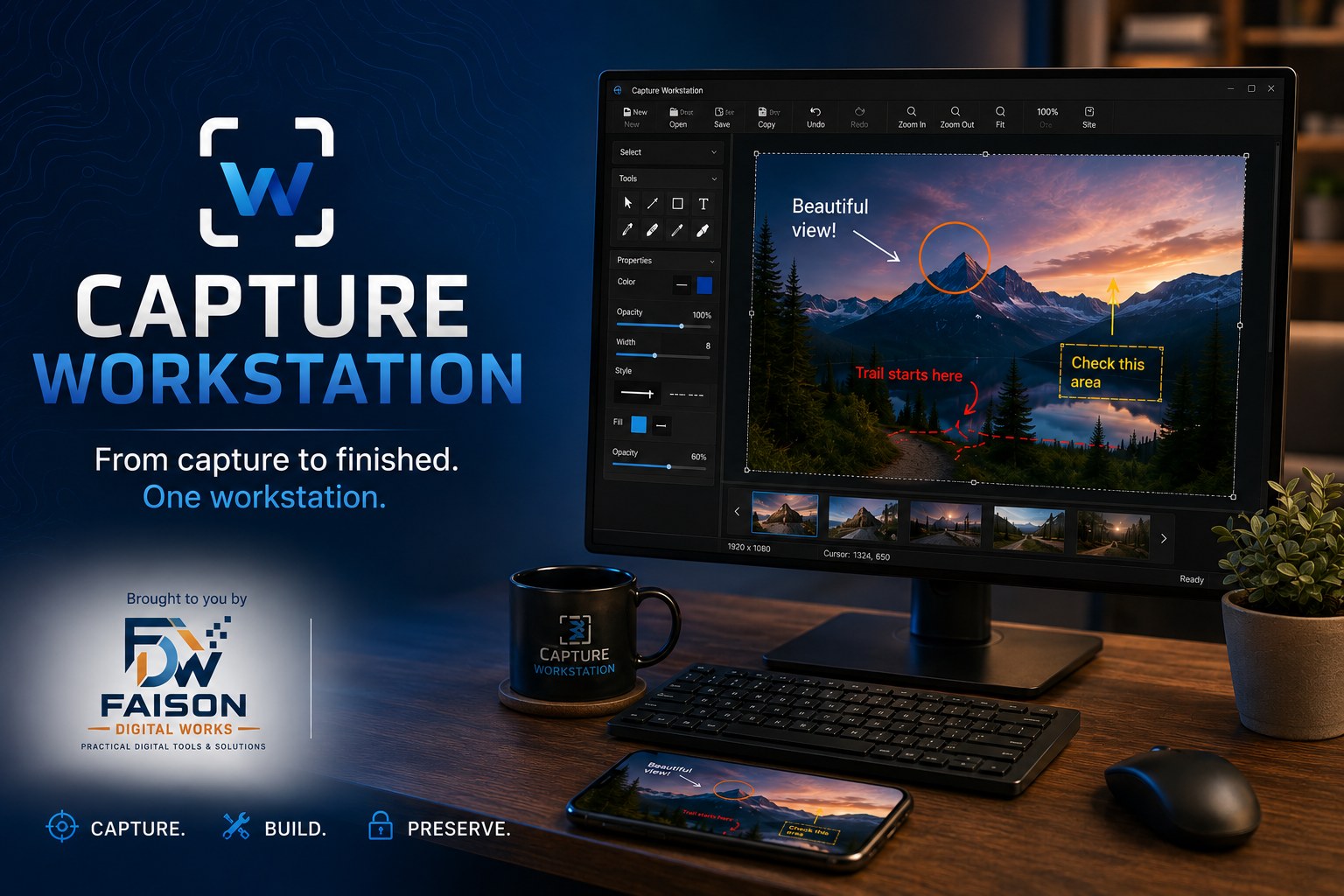
Capture Workstation shown on a desktop monitor with an annotated photograph

What it does

One window, start to finish

Grab the screen, size it for the device you're designing for, mark it up, and save the finished file — all in the same place.

Capture anything

Capture a region, a single window, or the whole screen. Ctrl + Shift + S grabs the shot without making you leave what you're pointing at.

Size it for the device

Preview and capture a site at real phone dimensions — iPhone 14/15 and other sizes, portrait or landscape — so what you hand over matches what people actually see.

Mark it up properly

Arrows, lines, rectangles, ellipses and text with real control — line color and thickness, fill and opacity, font, size and alignment. Move and resize anything after you place it.

Finish and export

Zoom, pan, undo and redo while you work. Copy straight to the clipboard for pasting into a message, or save the finished image as a file.

Stays on your machine

No account. Nothing uploaded. Captures, annotations and exported files never leave your computer — the app only touches files you choose.

No ads, no tracking

No third-party advertising, no behavioral tracking, no analytics watching what you capture. You bought a tool, not a subscription to being measured.

A look inside

The actual application

Real screenshots from the application — not mockups.
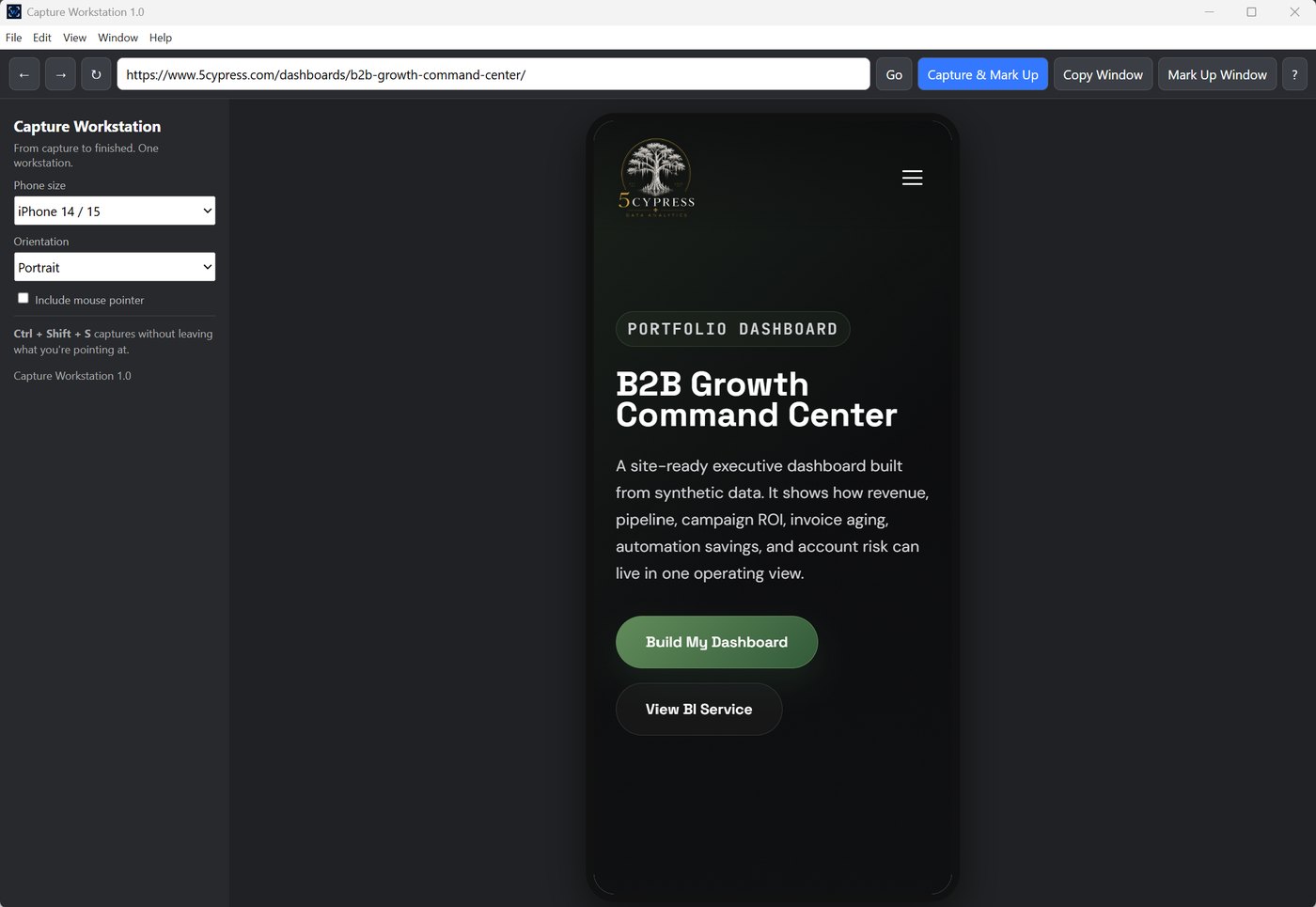
Capture Workstation main window showing a website previewed at phone size
The main window. Load a site, choose a device size and orientation, then capture and mark up in one step. The controls stay out of your way on the left.
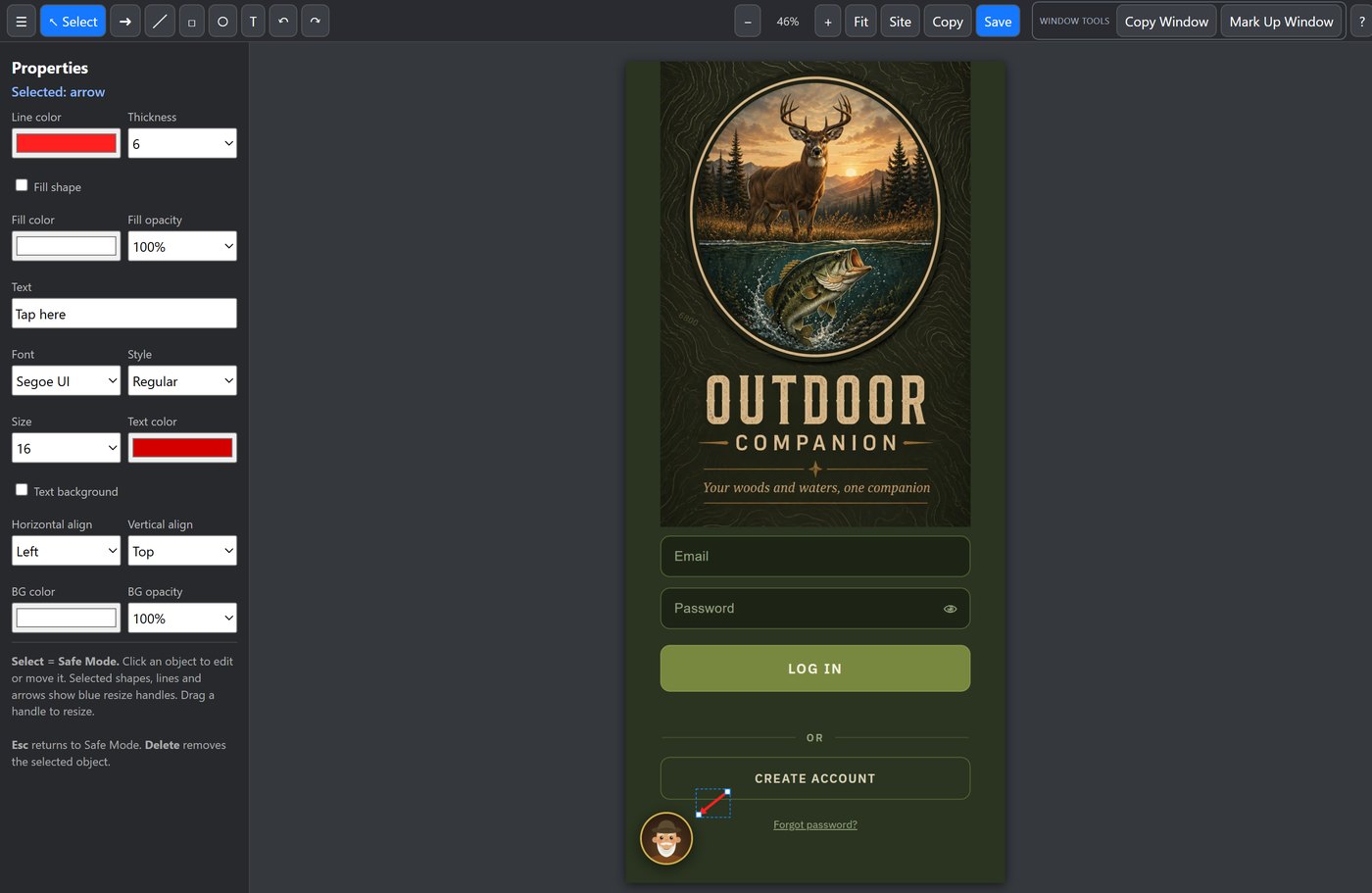
An arrow selected on a capture, showing resize handles and its properties
Everything stays editable. Click any arrow, shape or label you've placed and it comes back with resize handles and its own properties. Change the color, thickness or wording after the fact — you're never stuck with a mark you drew wrong.
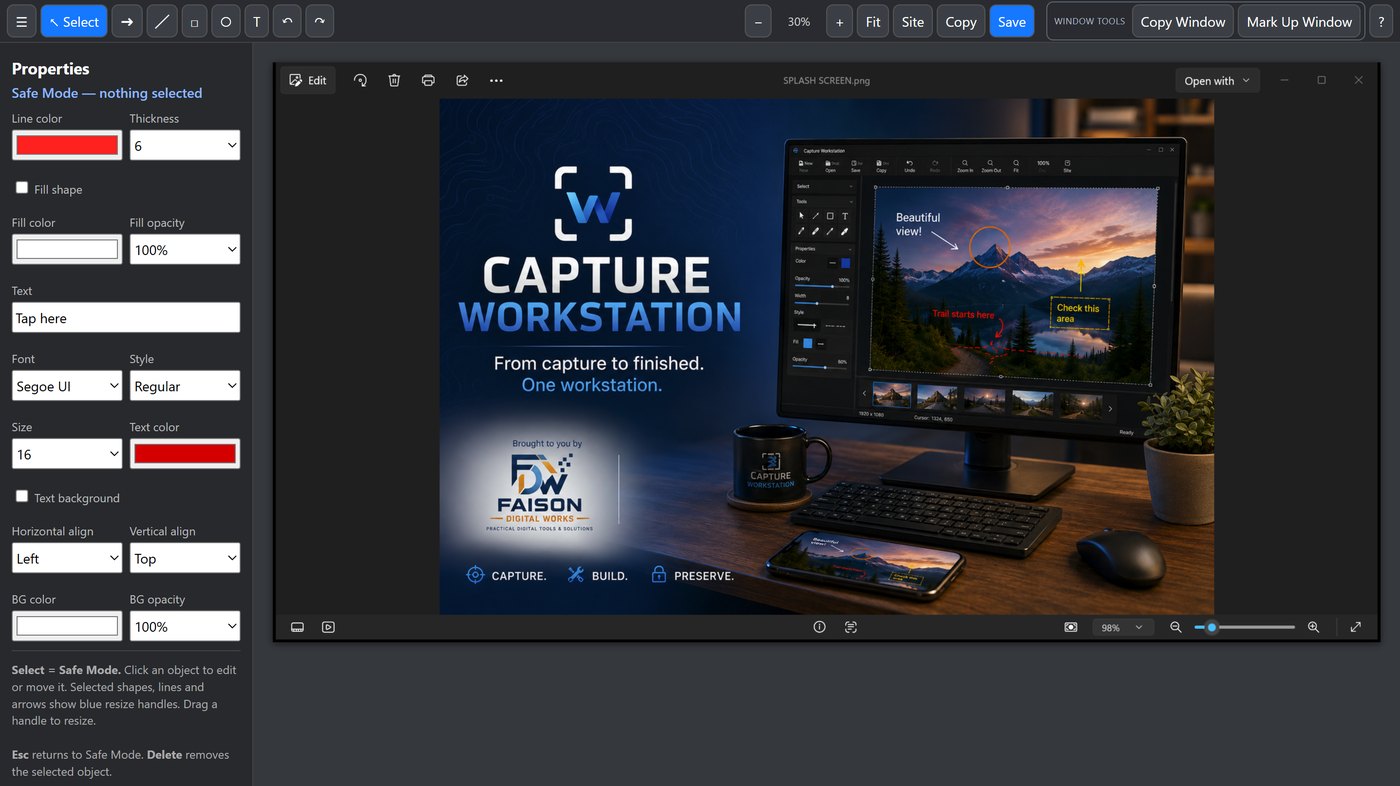
The markup editor with tool palette and properties panel
The markup editor. Full properties for every object — line color, thickness, fill and opacity, font, size, alignment, background. Select mode keeps you from editing something by accident.
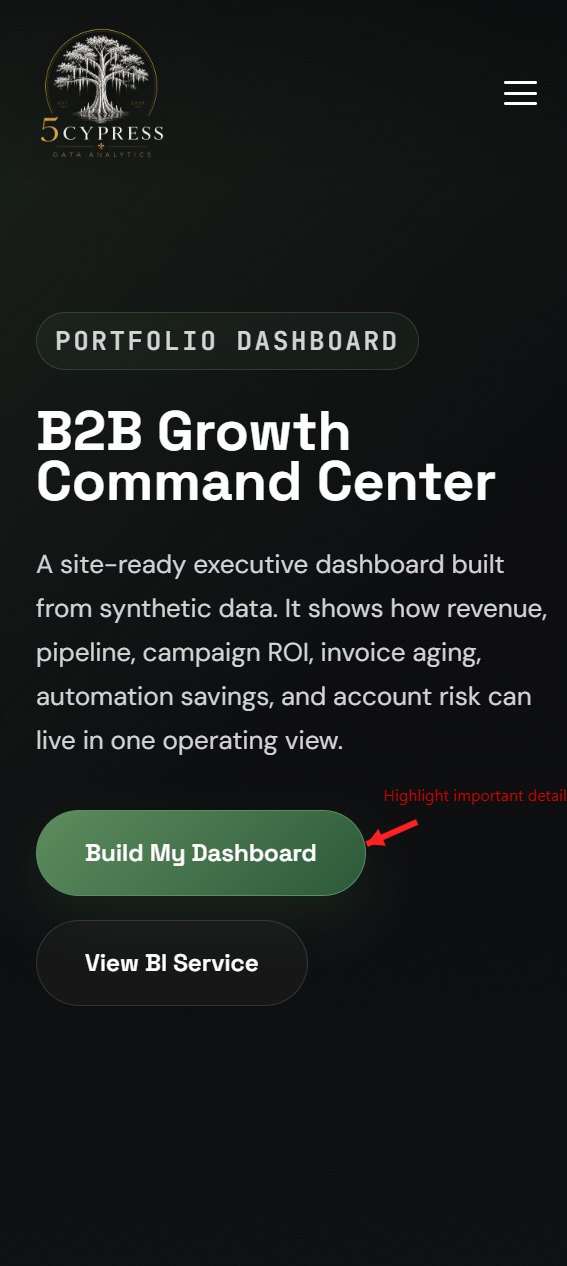
An annotated capture with an arrow pointing to a detail
A finished capture. Annotations sized and placed exactly where you want them, ready to send.

Every screenshot on this page was made with Capture Workstation.

Requirements

What you need

  • Windows 10 or Windows 11
  • Installed from the Microsoft Store, so the package is signed and verified
  • No account, no sign-in, no internet connection required to use it

Questions

Support

Bug reports, questions and feature suggestions go to the developer directly.

Open the support form

Read the privacy policy